Quickbuilds
A place for some of our quick projects
"Integrations Screen" by Louis Nguyen
I really love Louis' design work and his consistency. When I saw this tweet in my feed I wanted to take a stab at it.
This was the first screen-recorded Quickbuild and was a good chance to figure out some stuff like recording the timelapse, converting raster icons to svgs, and whether or not LLMs could do this on their own (they can't, yet).
I had heard that Claude's new Artifacts feature was really good, so I wanted to see if it could write some or all of the code for me. It turned out to be somewhat useful for creating the "shell" markup, but as you'll see in the video, it still needed quite a lot of hand written code.
Source Image
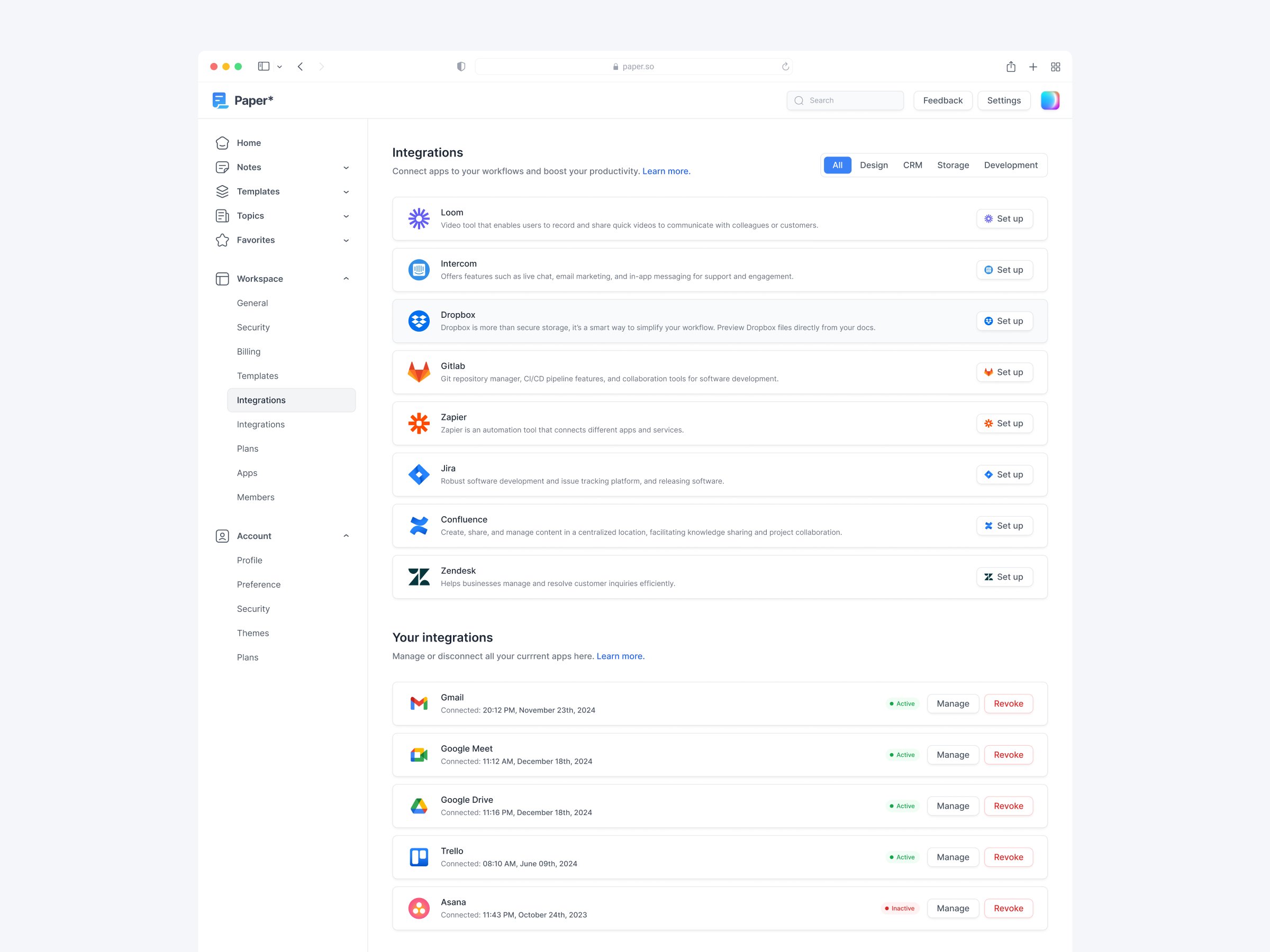
Process
- Paste the image into Figma, break out each of the icons into their own layers.
- Process them one by one with vectorizer.ai, download them, name them, and add them to the codebase.
- Create a new page in the codebase that has Tailwind Lite, HTMX, and Mini JS loaded.
- Open Claude. Upload the source image along with the following prompt. Copy the generated html into the codebase.
You are a one-shot html generator. I'd like you to take the attached image and do the following:

- Sharpen the outlines of everything in your minds eye - make sure you're super clear on where the lines and edges are.
- Create a nested list of the sections. E.g. Top Section -> Top Left Section With Logo, Top Right Section -> Search Bar
- Once you have this list, use it to assist you in building out a full html file that includes every single section.
- If the full layout looks like it should be in a centered container (as opposed to full width), then place it one.
- If there is any menu indentation, be sure to include it
- In every place that there should be an image, you can add a filler svg. This code will be copy pasted into another codebase.

Remember your goal here is to get everything perfectly right on the first go.
Gists
We already had code written for several of the parts of the design, so we were able to copy/paste some of it.
Video
Result
View Finished Page
View Deel Sign Up Flow
View Airtasker
Register Workable User